Sole trader Income Tax spreadsheet
Track business income and expenses in Excel, then submit your quarterly totals to HMRC through MTDsorted.
Choose a templateChoose your template
Choose Standard for quarters starting on 6 April, or Calendar for quarters starting on 1 April.
Standard template
Track income and expenses by category, with a summary for each standard quarterly period.
Standard quarters
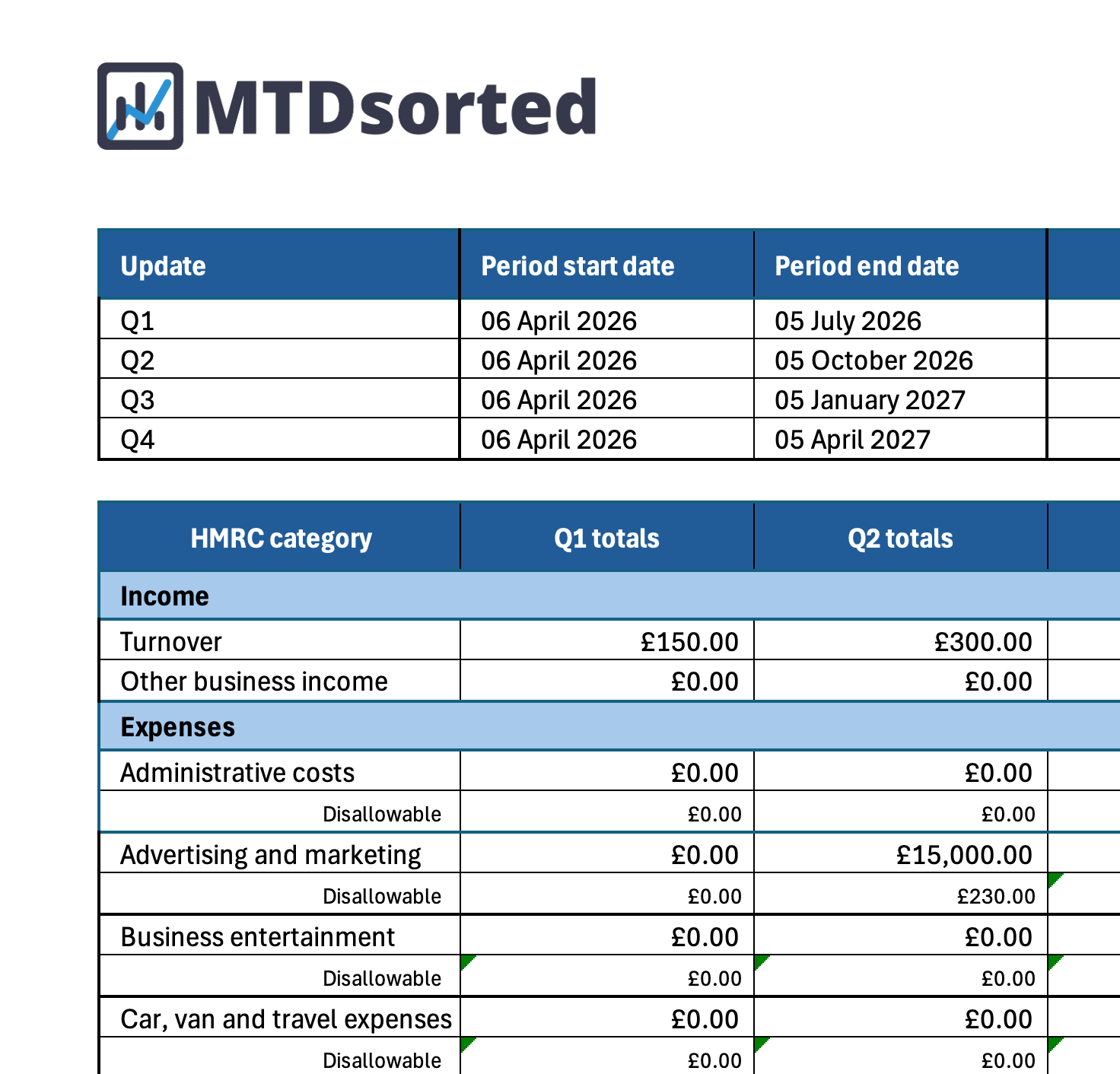
The Standard template follows HMRC's standard quarterly periods for the tax year:
- Quarter 1 6 April to 5 July
- Quarter 2 6 July to 5 October
- Quarter 3 6 October to 5 January
- Quarter 4 6 January to 5 April
- Follows HMRC's standard quarterly periods
- Category tabs for business income and expenses
- Summary sheet ready to submit through MTDsorted
Calendar template
Track your figures using HMRC's calendar-quarter periods, with cumulative totals from 1 April.
Calendar quarters
Each update includes your figures from 1 April up to the end of the relevant quarter:
- Quarter 1 1 April to 30 June
- Quarter 2 1 April to 30 September
- Quarter 3 1 April to 31 December
- Quarter 4 1 April to 31 March
- Follows HMRC's calendar-quarter periods
- Cumulative totals from 1 April
- Summary sheet ready to submit through MTDsorted
Built for sole traders and freelancers
Whether you invoice clients, sell products or provide services, the template keeps your records organised so preparing a quarterly update does not become a last-minute rebuild.
Self-employment categories
Record sales and business expenses using categories aligned with HMRC's reporting requirements.
Quarterly summary sheet
See the totals you need for your quarterly update, ready to enter into MTDsorted.
Digital records in a familiar format
Keep your business records digitally in Excel without moving away from the tool you already use.
Which date should you use?
Every entry needs a date. The correct date depends on whether you use the accrual basis or cash basis.
Use the invoice or bill date
Use the date shown on the invoice or bill, not the date it was paid.
Example: You invoiced a client on 28 March and received payment in April. Use 28 March.
Use the payment date
Use the date you received or made the payment.
Example: You paid for business software on 5 April. Use 5 April.
How it works
Three simple steps from downloading your template to submitting your quarterly update.
Download your template
Choose Standard for HMRC's standard quarterly periods or Calendar for calendar-quarter periods.
Record your figures
Add sales, purchases and business expenses as you go.
Submit through MTDsorted
Enter the totals from your summary sheet into MTDsorted and send your quarterly update to HMRC, without re-entering every transaction.
Love your spreadsheet? Keep it. We'll handle HMRC.
MTDsorted is HMRC-recognised bridging software. Enter the totals from your spreadsheet summary and submit your quarterly update without copying every transaction by hand.
"Great service provided from MTDsorted. Of all the providers for Making Tax Digital, this organisation stood out from the rest."
Ed / See review
"Easy to use, free and ideal for those who don't need a full accountancy package."
JB / See review
Frequently asked questions
Who is the sole trader template for?
It is for self-employed people who run a business in their own name, including freelancers, contractors and small business owners. When you are required to use Making Tax Digital for Income Tax, you will need to keep digital records and send quarterly updates for your self-employment business.
Standard or Calendar: which should I choose?
Choose Standard for HMRC's standard quarterly periods, such as 6 April to 5 July. Choose Calendar for cumulative calendar periods starting on 1 April, such as 1 April to 30 June and 1 April to 30 September.
Can I submit directly from Excel?
No. Quarterly updates must be sent using compatible software. Keep your detailed records in the spreadsheet, then enter your summary totals into MTDsorted for submission.
Do I need to pay to submit to HMRC?
The spreadsheet templates are free. Every MTDsorted plan includes bridging for one business source at no extra cost. You will need a plan that supports additional business sources if you want to submit updates for more than one.
Submit your sole trader figures to HMRC
Join thousands of businesses using MTDsorted to keep Making Tax Digital straightforward.
Get started