Income Tax spreadsheets
Free Excel templates for landlords and sole traders
Making Tax Digital for Income Tax requires digital records and quarterly updates. Our free Excel templates let you keep working in a familiar way, then use MTDsorted to submit your quarterly totals to HMRC.
Browse templatesSee how the templates work
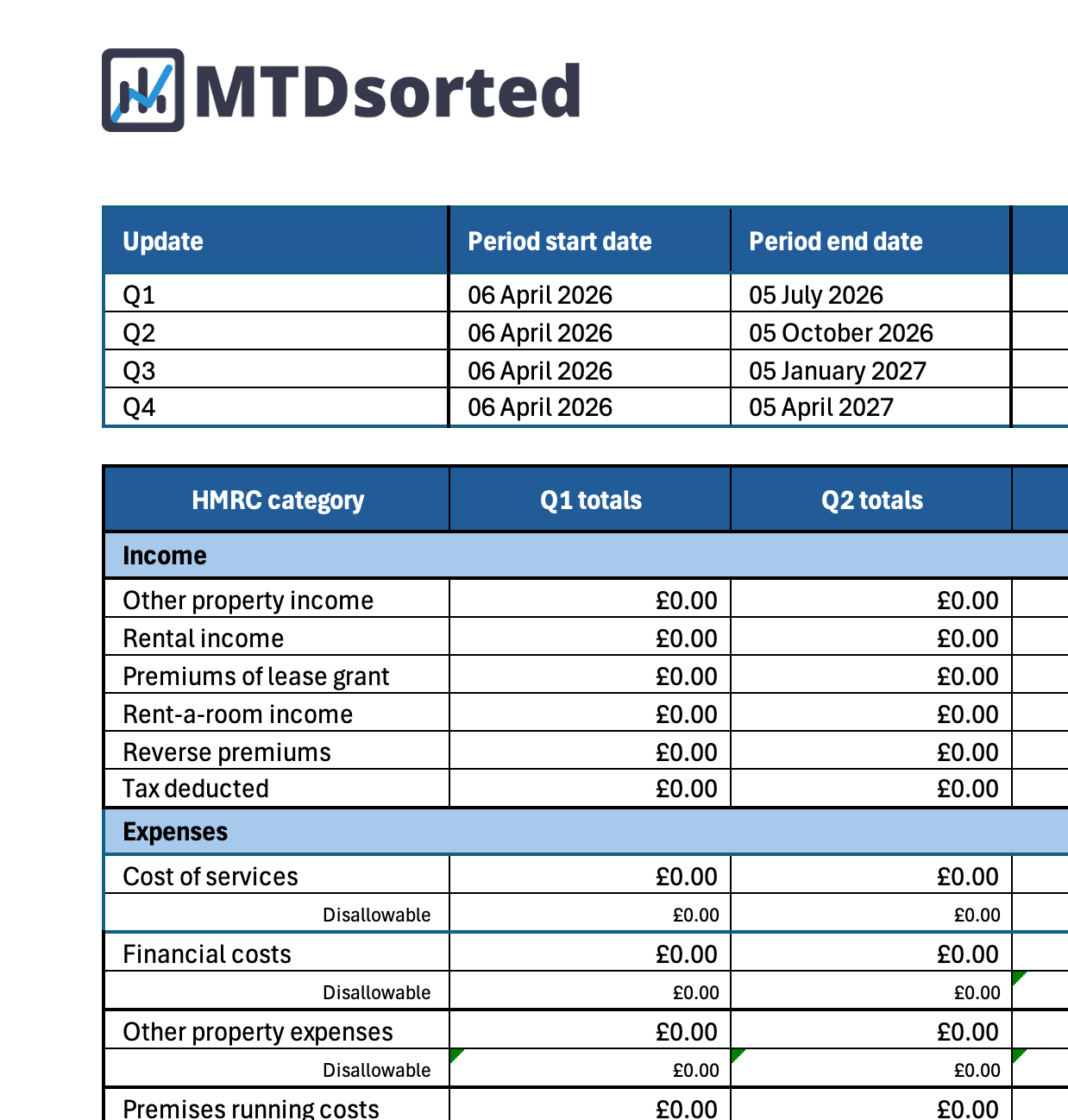
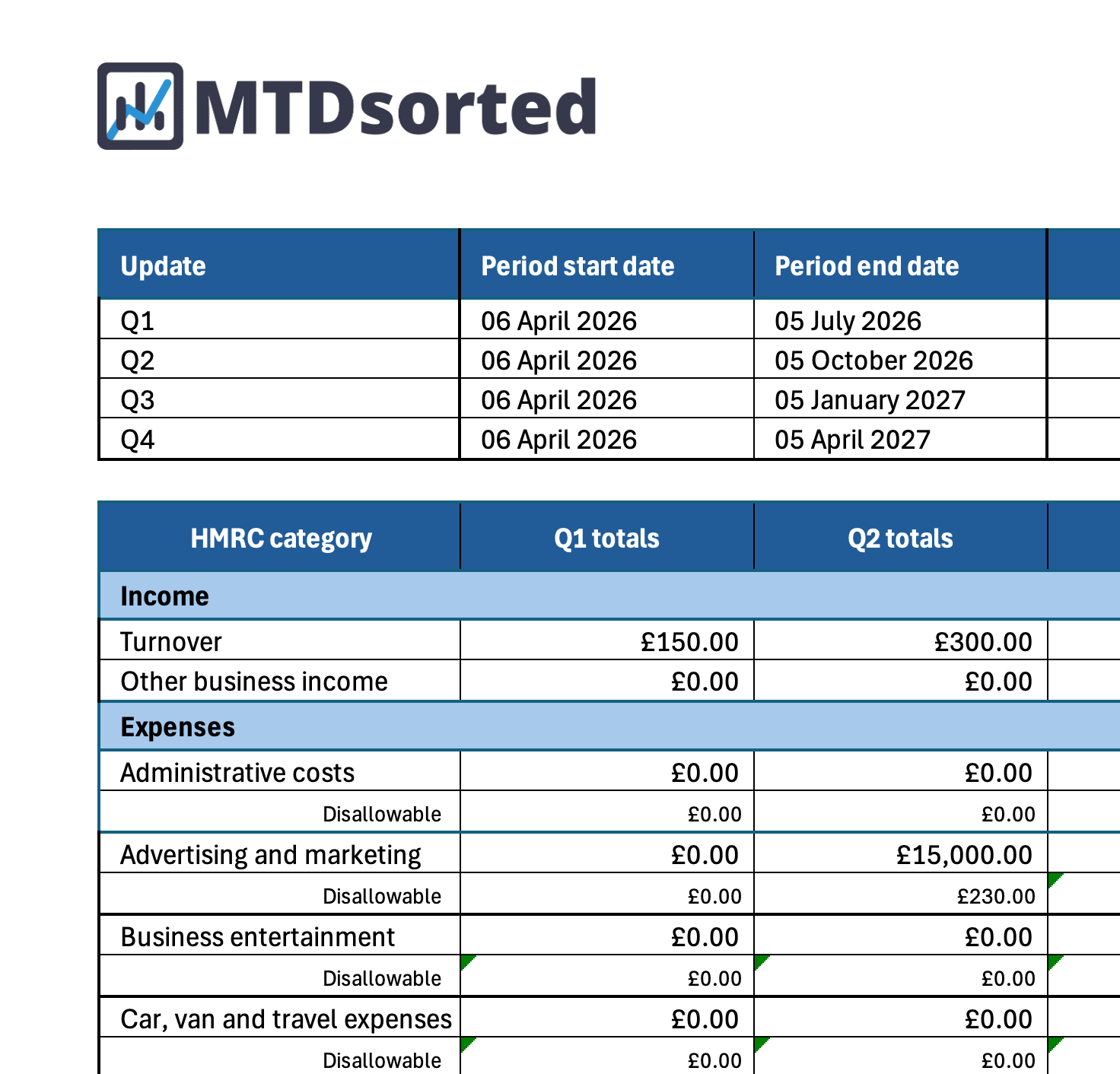
Record your income and expenses as you go. The template automatically brings your entries together into a quarterly summary, ready to submit through MTDsorted's HMRC-recognised bridging software.
Track income and expenses
Record your transactions in clearly organised category tabs aligned with HMRC's reporting categories.
View quarterly totals
See a breakdown of your income and expenses for each quarter, using either HMRC's standard or calendar-quarter periods.
Ready to submit
Your summary sheet contains the totals you need to enter into MTDsorted, without copying across every transaction.
Pick the template that fits your business
Choose Standard for HMRC's standard quarterly periods or Calendar for calendar quarters.
Both versions are free and ready to use with MTDsorted.
Keep using the spreadsheets you know
Making Tax Digital does not mean giving up Excel. Use our ready-made templates to organise your records throughout the year, then submit your quarterly totals through MTDsorted when your update is due.
Choose the right quarterly periods
Each template is organised around either HMRC's standard quarterly periods or calendar quarters.
Clear reporting categories
Income and expenses are grouped into clear categories, so your quarterly summary is created as you update the spreadsheet.
Which date should you use?
Every entry needs a date. The correct date depends on whether you use the accrual basis or cash basis.
Use the invoice or bill date
Use the date shown on the invoice or bill, not the date it was paid.
Example: Rent was invoiced on 28 March and paid in April. Use 28 March.
Use the payment date
Use the date you received or made the payment.
Example: Insurance was paid on 5 April. Use 5 April.
Love your spreadsheet? Keep it. We'll handle HMRC.
MTDsorted is HMRC-recognised bridging software. Enter the totals from your spreadsheet summary and submit your quarterly update without copying every transaction by hand.
"Great for submitting MTD VAT without the need to download add-ins. Super easy to use, just brilliant!"
Mrs S / See review
"Easy to use, free and ideal for those who don't need a full accountancy package."
JB / See review
Frequently asked questions
Are these templates really free?
Yes. Download either layout as many times as you like. No sign-up needed to get the spreadsheets.
What is the difference between Standard and Calendar?
Standard uses HMRC standard quarterly periods (6 Apr – 5 Jul, and so on through the tax year). Calendar uses cumulative calendar periods from 1 April (1 Apr – 30 Jun, 1 Apr – 30 Sep, and so on). Pick the layout that matches how you report.
Can I submit to HMRC from Excel alone?
HMRC requires compatible software for submission. Use the template for your records, then bridge your summary totals into MTDsorted to send quarterly updates.
Which template do I need, landlords or sole trader?
Choose the landlord template if you receive rental income from UK property. Choose sole trader if you are self-employed and trade in your own name. You can use both if that applies to you.
Ready to bridge your spreadsheet to HMRC?
MTDsorted is beautifully designed making it easy to take control of your Income Tax submissions.
Get started